
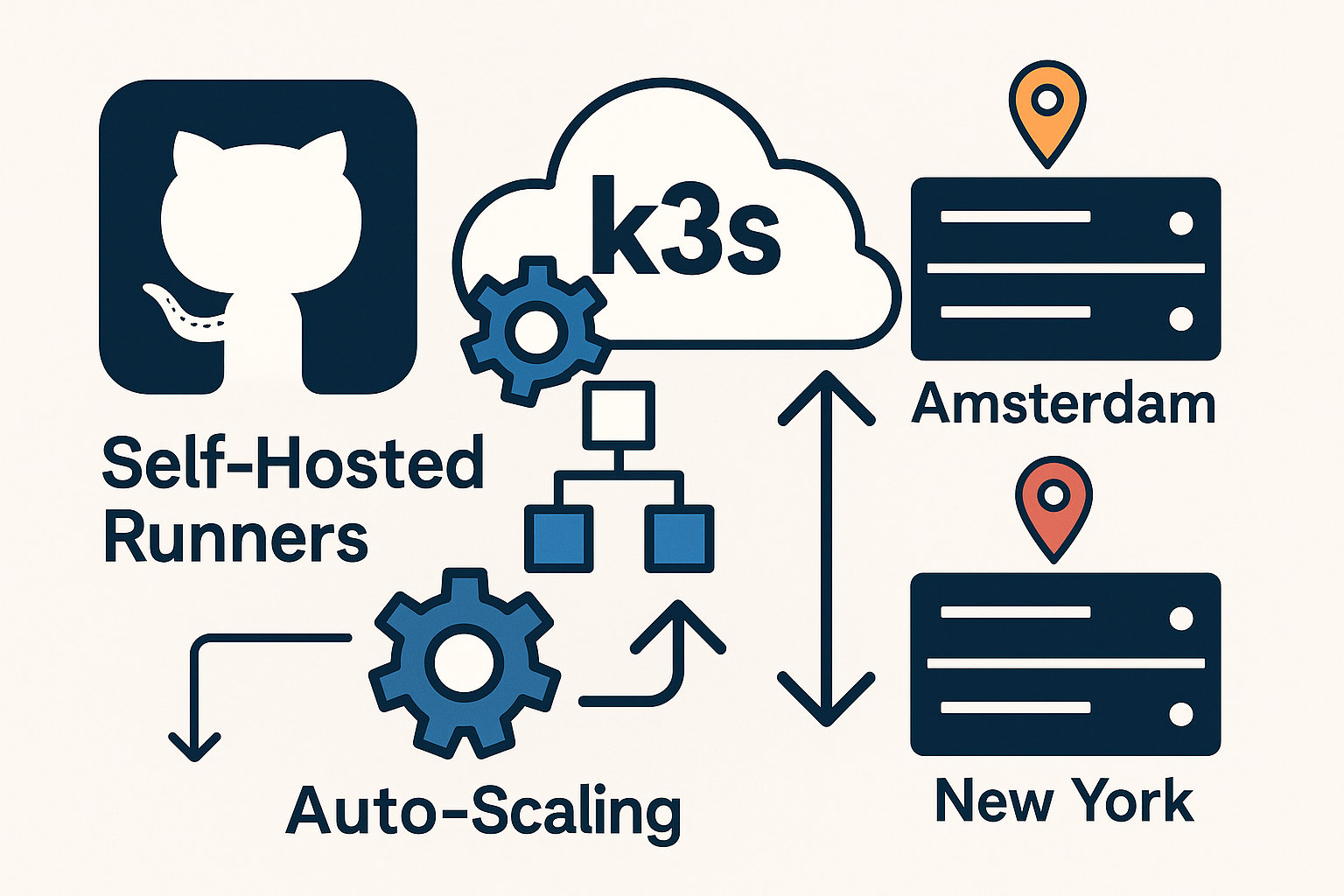
Self-hosted GitHub Actions runners offer superior control, cost efficiency, and performance compared to GitHub-hosted runners. By deploying autoscaling runners on a k3s cluster across multiple regions, you can achieve both high availability and optimal performance for your CI/CD workflows.
This comprehensive guide walks you through deploying Actions Runner Controller (ARC) on a distributed k3s cluster, enabling automatic scaling based on workflow demand while maintaining security through OIDC authentication and TLS encryption.
Understanding Actions Runner Controller (ARC)
The Actions Runner Controller is Kubernetes-native solution that automatically provisions and scales GitHub Actions runners based on workflow queue depth. Unlike traditional static runners, ARC provides:
- Dynamic scaling from 0 to N runners based on pending jobs
- Resource efficiency through ephemeral runner pods
- Multi-architecture support for diverse workloads
- Enhanced security with OIDC integration and isolated execution
Prerequisites
Before starting this deployment, ensure you have:
- Two Ubuntu 24.04 LTS VPS instances (4 vCPU, 8GB RAM minimum each)
- One Onidel VPS in Amsterdam and one Onidel VPS in New York
- GitHub repository with Actions enabled
- GitHub Personal Access Token or GitHub App credentials
- Domain names for TLS certificates (optional but recommended)
- kubectl and helm installed locally
Step 1: Deploy Multi-Region k3s Cluster
Start by setting up the k3s master node on your Amsterdam VPS:
# Amsterdam VPS (Master Node)
curl -sfL https://get.k3s.io | INSTALL_K3S_EXEC="--disable=traefik --cluster-init" sh -

# Get node token for joining
sudo cat /var/lib/rancher/k3s/server/node-token

# Get kubeconfig
sudo cp /etc/rancher/k3s/k3s.yaml ~/.kube/config
sudo chown $USER:$USER ~/.kube/config
On your New York VPS, join as a worker node:
# New York VPS (Worker Node)
export K3S_URL="https://AMSTERDAM_VPS_IP:6443"
export K3S_TOKEN="YOUR_NODE_TOKEN"

curl -sfL https://get.k3s.io | sh -
Verify cluster connectivity:
kubectl get nodes -o wide
kubectl label node NEW_YORK_NODE region=newyork
kubectl label node AMSTERDAM_NODE region=amsterdam
Step 2: Configure GitHub Authentication
Create a GitHub App for secure OIDC authentication:
- Navigate to GitHub Settings → Developer settings → GitHub Apps
- Click “New GitHub App” and configure:
- App name: “ARC Runner Controller”
- Webhook URL: Disable webhooks
- Repository permissions: Actions (Read), Metadata (Read)
- Generate and download the private key
- Note the App ID and Installation ID
Create Kubernetes secrets for authentication:
# Create namespace
kubectl create namespace arc-systems

# Create GitHub App secret
kubectl create secret generic github-app-secret \
  --namespace=arc-systems \
  --from-literal=github_app_id="YOUR_APP_ID" \
  --from-literal=github_app_installation_id="YOUR_INSTALLATION_ID" \
  --from-file=github_app_private_key="path/to/private-key.pem"
Step 3: Install Actions Runner Controller
Add the ARC Helm repository and install the controller:
# Add ARC Helm repository
helm repo add actions-runner-controller https://actions-runner-controller.github.io/actions-runner-controller
helm repo update

# Install ARC controller
helm install arc-controller \
  actions-runner-controller/actions-runner-controller \
  --namespace arc-systems \
  --create-namespace \
  --set image.tag="0.27.4" \
  --wait
Verify the controller deployment:
kubectl get pods -n arc-systems
kubectl logs -n arc-systems deployment/arc-controller-manager
Step 4: Configure Autoscaling Runner Deployments
Create region-specific runner deployments. First, for Amsterdam:
# amsterdam-runners.yaml
apiVersion: actions.summerwind.dev/v1alpha1
kind: RunnerDeployment
metadata:
  name: amsterdam-runners
  namespace: arc-systems
spec:
  replicas: 1
  template:
    spec:
      repository: "your-org/your-repo"
      env:
        - name: REGION
          value: "amsterdam"
      resources:
        limits:
          cpu: "2"
          memory: "4Gi"
        requests:
          cpu: "1"
          memory: "2Gi"
      nodeSelector:
        region: amsterdam
      tolerations:
      - key: "region"
        operator: "Equal"
        value: "amsterdam"
        effect: "NoSchedule"
---
apiVersion: actions.summerwind.dev/v1alpha1
kind: HorizontalRunnerAutoscaler
metadata:
  name: amsterdam-runners-autoscaler
  namespace: arc-systems
spec:
  scaleTargetRef:
    name: amsterdam-runners
  minReplicas: 0
  maxReplicas: 10
  metrics:
  - type: PercentageRunnersBusy
    scaleUpThreshold: "0.75"
    scaleDownThreshold: "0.25"
    scaleUpFactor: "2"
    scaleDownFactor: "0.5"
Create similar configuration for New York runners:
# newyork-runners.yaml
apiVersion: actions.summerwind.dev/v1alpha1
kind: RunnerDeployment
metadata:
  name: newyork-runners
  namespace: arc-systems
spec:
  replicas: 1
  template:
    spec:
      repository: "your-org/your-repo"
      env:
        - name: REGION
          value: "newyork"
      resources:
        limits:
          cpu: "2"
          memory: "4Gi"
        requests:
          cpu: "1"
          memory: "2Gi"
      nodeSelector:
        region: newyork
---
apiVersion: actions.summerwind.dev/v1alpha1
kind: HorizontalRunnerAutoscaler
metadata:
  name: newyork-runners-autoscaler
  namespace: arc-systems
spec:
  scaleTargetRef:
    name: newyork-runners
  minReplicas: 0
  maxReplicas: 10
  metrics:
  - type: PercentageRunnersBusy
    scaleUpThreshold: "0.75"
    scaleDownThreshold: "0.25"
Apply the configurations:
kubectl apply -f amsterdam-runners.yaml
kubectl apply -f newyork-runners.yaml
Step 5: Implement TLS Security
Install cert-manager for automatic TLS certificate management:
# Install cert-manager
kubectl apply -f https://github.com/cert-manager/cert-manager/releases/download/v1.13.2/cert-manager.yaml

# Wait for cert-manager to be ready
kubectl wait --for=condition=Available --timeout=300s deployment/cert-manager -n cert-manager
kubectl wait --for=condition=Available --timeout=300s deployment/cert-manager-webhook -n cert-manager
Create a ClusterIssuer for Let’s Encrypt:
# letsencrypt-issuer.yaml
apiVersion: cert-manager.io/v1
kind: ClusterIssuer
metadata:
  name: letsencrypt-prod
spec:
  acme:
    server: https://acme-v02.api.letsencrypt.org/directory
    email: [email protected]
    privateKeySecretRef:
      name: letsencrypt-prod
    solvers:
    - http01:
        ingress:
          class: traefik
Step 6: Test Autoscaling Functionality
Create a test workflow that demonstrates regional scaling:
# .github/workflows/test-scaling.yml
name: Test Multi-Region Scaling

on:
  workflow_dispatch:
    inputs:
      region:
        description: 'Target region'
        required: true
        type: choice
        options:
          - amsterdam
          - newyork

jobs:
  test-amsterdam:
    if: github.event.inputs.region == 'amsterdam' || github.event.inputs.region == ''
    runs-on: [self-hosted, amsterdam]
    steps:
      - name: Test Amsterdam Runner
        run: |
          echo "Running on Amsterdam runner"
          echo "Region: $REGION"
          uptime

  test-newyork:
    if: github.event.inputs.region == 'newyork' || github.event.inputs.region == ''
    runs-on: [self-hosted, newyork]
    steps:
      - name: Test New York Runner
        run: |
          echo "Running on New York runner"
          echo "Region: $REGION"
          uptime
Monitor scaling behavior:
# Watch runner scaling
watch kubectl get runners -n arc-systems

# Check autoscaler metrics
kubectl describe horizontalrunnerautoscaler amsterdam-runners-autoscaler -n arc-systems
kubectl describe horizontalrunnerautoscaler newyork-runners-autoscaler -n arc-systems
Best Practices
To ensure optimal performance and security of your ARC deployment:
- Resource Management: Set appropriate CPU and memory limits based on your workflow requirements. Consider using resource quotas to prevent runaway scaling costs.
- Security Hardening: Implement network policies to isolate runner pods and use CIS hardening for your underlying VPS instances.
- Monitoring: Deploy comprehensive monitoring to track runner utilization, queue depth, and scaling events.
- Backup Strategy: Implement regular backups of your k3s cluster state and runner configurations using automated backup solutions.
Performance Optimization:
- Configure BBR congestion control for improved network performance between regions
- Use node affinity rules to ensure optimal runner placement based on workflow requirements
- Implement proper resource requests and limits to prevent noisy neighbor issues
Troubleshooting Common Issues
If runners fail to scale or authenticate:
# Check controller logs
kubectl logs -n arc-systems deployment/arc-controller-manager -f

# Verify GitHub App permissions
kubectl describe secret github-app-secret -n arc-systems

# Check runner deployment status
kubectl get runnerdeployments -n arc-systems -o wide
kubectl describe runnerdeployment amsterdam-runners -n arc-systems
For network connectivity issues between regions:
# Test inter-node connectivity
kubectl run test-pod --image=busybox --rm -it -- ping REMOTE_NODE_IP

# Check k3s cluster status
kubectl get nodes
kubectl describe node NODE_NAME
Conclusion
You’ve successfully deployed a production-ready, auto-scaling GitHub Actions runner infrastructure across Amsterdam and New York regions. This setup provides geographic distribution, automatic scaling, and enhanced security through OIDC authentication and TLS encryption.
The distributed architecture ensures your CI/CD pipelines can handle varying workloads while maintaining optimal performance through regional proximity. Your runners will automatically scale from zero to meet demand, providing cost efficiency without sacrificing capability.
Ready to build more robust cloud infrastructure? Explore our high-performance Amsterdam VPS and New York VPS solutions, featuring EPYC Milan processors and high-availability storage perfect for demanding Kubernetes workloads.