
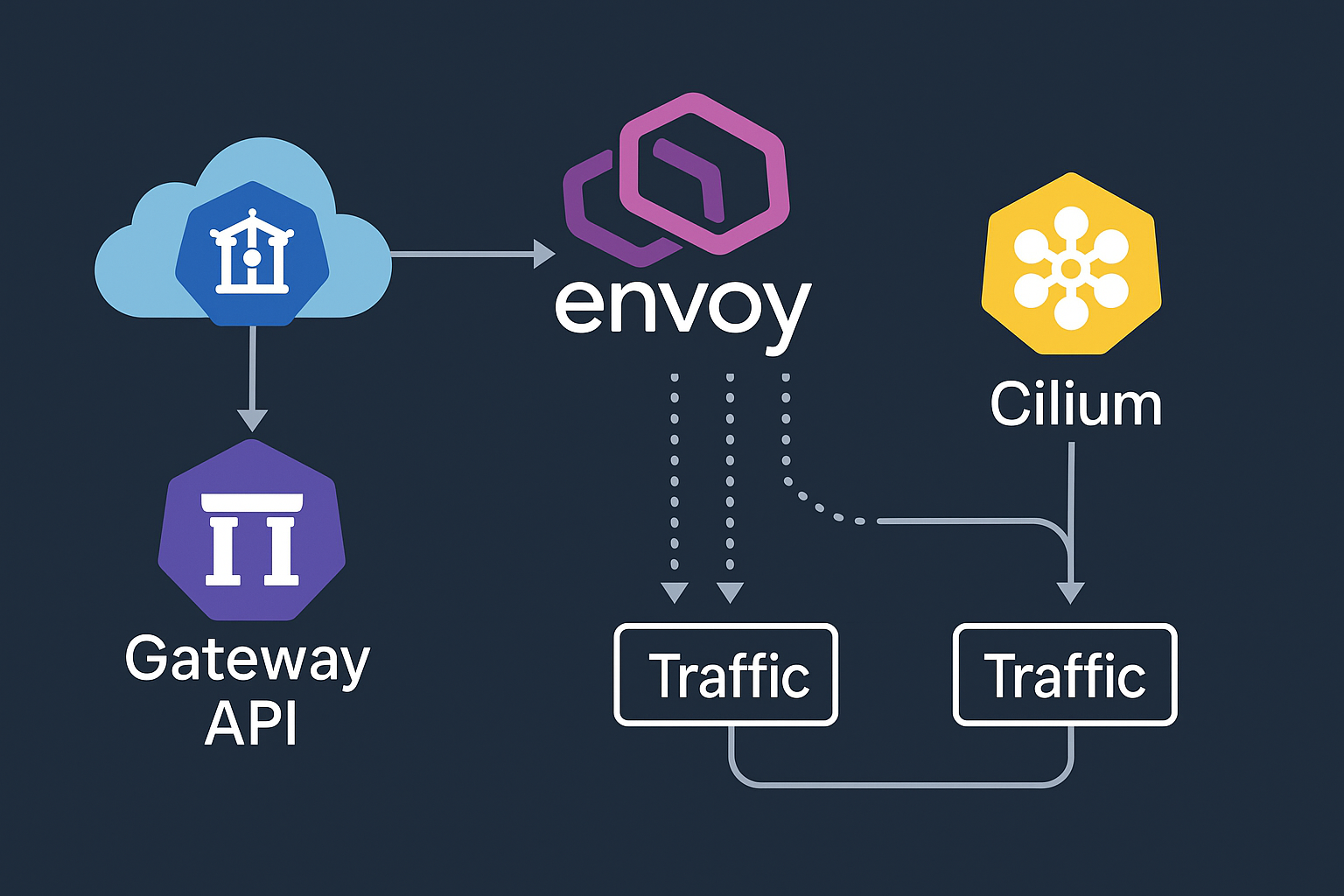
Modern Kubernetes networking demands sophisticated traffic management, security, and observability capabilities. The Kubernetes Gateway API represents the next evolution of ingress controllers, offering role-oriented, portable, and expressive interfaces for managing north-south traffic. Combined with Envoy Gateway and Cilium, this stack provides enterprise-grade features including mutual TLS (mTLS), HTTP/3 with QUIC protocol support, and advanced canary deployment strategies.
This comprehensive tutorial demonstrates deploying a production-ready Kubernetes Gateway API setup on a k3s cluster running Ubuntu 24.04 LTS. We’ll leverage Onidel VPS in Amsterdam and Onidel VPS in New York to create a robust, geographically distributed infrastructure optimized for low-latency applications.
Introduction
Traditional Kubernetes ingress controllers face limitations in expressing complex routing rules and lack standardization across implementations. The Gateway API addresses these challenges by providing:
- Role-oriented design: Separate concerns for infrastructure operators, cluster operators, and application developers
- Enhanced expressiveness: Support for weighted traffic splitting, header matching, and advanced routing
- Portable configuration: Vendor-neutral specifications that work across different implementations
- Extended protocol support: Native HTTP/2, HTTP/3, and TCP/UDP routing capabilities
By the end of this tutorial, you’ll have a fully functional Gateway API deployment with end-to-end encryption, modern protocol support, and sophisticated traffic management capabilities.
Prerequisites
Before beginning this deployment, ensure you have:
- Infrastructure: Two Ubuntu 24.04 LTS VPS instances (minimum 4 CPU cores, 8GB RAM each)
- Network connectivity: Public IPv4 addresses and unrestricted internet access
- Administrative access: Root or sudo privileges on both systems
- Domain name: Valid DNS domain with ability to create A/AAAA records
- TLS certificates: Let’s Encrypt or commercial certificates for your domain
Software versions used in this tutorial:
- Ubuntu 24.04.1 LTS (Noble Numbat)
- k3s v1.30.6+k3s1
- Cilium v1.16.3
- Envoy Gateway v1.2.0
- Gateway API v1.2.0
Step-by-Step Tutorial
Step 1: Prepare Ubuntu 24.04 Systems
Start by updating your systems and installing essential packages:
sudo apt update && sudo apt upgrade -y
sudo apt install -y curl wget git jq htop net-tools

# Disable swap (required for Kubernetes)
sudo swapoff -a
sudo sed -i '/ swap / s/^\(.*\)$/#\1/g' /etc/fstab

# Configure kernel modules for eBPF
echo 'br_netfilter' | sudo tee /etc/modules-load.d/k8s.conf
echo 'overlay' | sudo tee -a /etc/modules-load.d/k8s.conf
sudo modprobe br_netfilter
sudo modprobe overlay
Step 2: Install k3s Without Default CNI
Install k3s with CNI disabled to use Cilium as our primary networking layer:
# On the master node
curl -sfL https://get.k3s.io | INSTALL_K3S_EXEC="--disable traefik --disable servicelb --flannel-backend=none --disable-network-policy --cluster-cidr=10.42.0.0/16 --service-cidr=10.43.0.0/16" sh -

# Save the node token for worker nodes
sudo cat /var/lib/rancher/k3s/server/node-token

# Configure kubectl access
mkdir -p ~/.kube
sudo cp /etc/rancher/k3s/k3s.yaml ~/.kube/config
sudo chown $(id -u):$(id -g) ~/.kube/config
Step 3: Deploy Cilium with Gateway API Support
Install Cilium with eBPF dataplane and Gateway API capabilities:
# Install Cilium CLI
CILIUM_CLI_VERSION=$(curl -s https://raw.githubusercontent.com/cilium/cilium-cli/main/stable.txt)
curl -L --fail --remote-name-all https://github.com/cilium/cilium-cli/releases/download/${CILIUM_CLI_VERSION}/cilium-linux-amd64.tar.gz{,.sha256sum}
sha256sum --check cilium-linux-amd64.tar.gz.sha256sum
sudo tar xzvfC cilium-linux-amd64.tar.gz /usr/local/bin

# Deploy Cilium with Gateway API support
cilium install \
  --version 1.16.3 \
  --set gatewayAPI.enabled=true \
  --set kubeProxyReplacement=true \
  --set k8sServiceHost=YOUR_MASTER_IP \
  --set k8sServicePort=6443 \
  --set tunnel=vxlan
Step 4: Install Gateway API CRDs
Deploy the official Gateway API custom resource definitions:
# Install Gateway API CRDs
kubectl apply -f https://github.com/kubernetes-sigs/gateway-api/releases/download/v1.2.0/standard-install.yaml

# Verify CRDs are installed
kubectl get crd | grep gateway
Step 5: Deploy Envoy Gateway
Install Envoy Gateway as the Gateway API implementation:
# Install Envoy Gateway
kubectl apply -f https://github.com/envoyproxy/gateway/releases/download/v1.2.0/install.yaml

# Wait for Envoy Gateway to be ready
kubectl wait --timeout=5m -n envoy-gateway-system deployment/envoy-gateway --for=condition=Available
Step 6: Configure Gateway and HTTPRoute
Create a Gateway resource with HTTP/3 support:
apiVersion: gateway.networking.k8s.io/v1
kind: Gateway
metadata:
  name: production-gateway
  namespace: default
spec:
  gatewayClassName: envoy-gateway
  listeners:
  - name: http
    protocol: HTTP
    port: 80
    hostname: "*.example.com"
  - name: https
    protocol: HTTPS
    port: 443
    hostname: "*.example.com"
    tls:
      mode: Terminate
      certificateRefs:
      - kind: Secret
        name: tls-secret
  - name: http3
    protocol: HTTPS
    port: 443
    hostname: "*.example.com"
    tls:
      mode: Terminate
      certificateRefs:
      - kind: Secret
        name: tls-secret
Best Practices
Implementing Gateway API with Envoy and Cilium requires attention to several critical areas:
- Resource allocation: Ensure adequate CPU and memory for eBPF programs and Envoy proxy instances
- Network segmentation: Use Cilium Network Policies to implement zero-trust networking between services
- Observability: Enable Hubble for network flow visibility and configure Envoy access logs
- Security hardening: Implement Pod Security Standards and regularly update container images
- Performance optimization: Tune Envoy worker threads and connection pooling for your workload patterns
For production deployments spanning multiple regions, consider implementing our active-active VPS architecture pattern for high availability and disaster recovery.
Conclusion
The combination of Kubernetes Gateway API, Envoy Gateway, and Cilium creates a powerful, modern networking stack that addresses the evolving needs of cloud-native applications. This setup provides enterprise-grade features including advanced traffic management, comprehensive security policies, and excellent observability.
The deployment patterns demonstrated in this tutorial are particularly effective when distributed across geographically separated regions. Onidel’s Amsterdam VPS and New York VPS offerings provide the high-performance EPYC Milan processors, NVMe storage, and low-latency networking required for demanding Kubernetes workloads.
As you scale your Gateway API deployment, consider exploring our related guides on GitOps with Flux v2 for automated configuration management and comprehensive observability for production monitoring.